
Mega Flash ROM SCC+ SD


If you ask me what I would recommend to every MSX user, then I immediately would say a Mega Flash ROM SCC+ SD cartridge. This cartridge (developped by Manuel Pazos) has flash memory and therefore it is easy to swop MSX .ROM files into this memory, the so called 'flashing'.
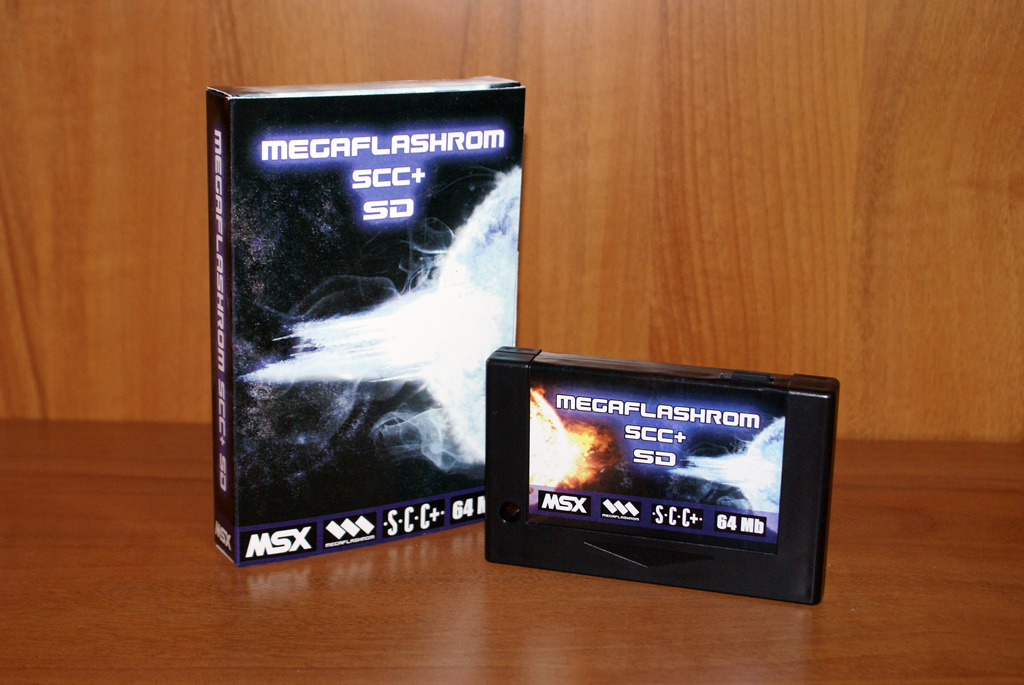 When you save a .ROM file into the flash memory the cartridge is simular to an original MSX game cartridge. When you turn off your computer, you can easilly take it out and use it in another MSX. If don't change the flash memory, the game on the cartridge remains the same. The characteristics of the Mega Flash ROM are simular to cartridges used back in the days. In a simple way you can load the game into the Mega Flash ROM with OPFXSD.COM. For some little exceptions you can patch it with this programm to behave/work correctly and exactly like the original game in the cartridge used to do.
The Mega flash ROM I have, is a third generation Mega flash ROM from Manual Pazos. New are the SD slots on the cartridge, so now you can use it for storage of your MSX files also. So it is not nessecary anymore to use a CF cartridge from Sunrise (also reviewed on this site). With the new cartiridge it is possible to flash multiple .DSK files also (!). And it has a Konami SCC+ soundchip. If there is a Konami game flashed in the cartridge which supports SCC+ sound, then this is recognized and you will hear SCC+ sound. The cartridge is suitable for every MSX model and is user-friendly. A lot of knowledge of MSX isn't necessary to use this cartridge. Nowadays there is a fouth generation version with a 512 K memory mapper in it.
Conclusion; You can call this cartridge a all-in-one MSX super cartridge. A must have MSX product!
More info about the Mega Flash ROM cartridge you can find on MSX Cartridge Shop this is the website of Manuel Pazos.
----------------------------------------------------------------------
Mega Flash ROM SCC+ SD / Tips & Tricks:
Most (read: mainly all) ROM files will start directly without problems using this cartridge. There are always exeptions... Sometimes special options / key combinations are necessary. I think these options are in the Mega Flash ROM manual also. Because I often do not remember them myself, I mention these options here;
Type /U behind command = force Mega Flash ROM to start from primairy slot
Hold SHIFT starting game from Mega Flash ROM = disable booting MSX-DOS kernels. to disable (internal) diskdrive (necessary for some games).
Hold D starting game from Mega Flash ROM = clear memory. like holding CTRL when starting a real disk (like we used to do in the past with for example real Diskmania disks).
USING SCC+ SOUND:
Hold R starting from real disk (=disable Nexor (cartridge in slot 1))
Hold F starting from real disk (=disable Nexor (cartridge in slot 2))
Hold S starting .DSK game from Mega Flash ROM (to enable SCC+ sound)
 Mega Flash ROM SCC+ SD
MSX game reviews
MSX emulation
Links


